
7 Tips for Choosing the Best Electric Extension Plugs

Time:2026-11-10 Author:Oliver
0%

Electric Extension Plugs may look like simple accessories, but the wrong choice can turn a tidy desk or workshop into a safety risk. The Electrical Safety Foundation International (ESFI), citing U.S. Consumer Product Safety Commission data, reports that extension cords are associated with about 4,000 emergency-room-treated injuries annually. ESFI also reports roughly 3,300 residential fires each year involving extension cords. These figures are U.S. estimates, not a measure of risk for every product or household. Still, they make one point hard to ignore: ratings, condition, and intended use matter.

A useful starting rule comes from ESFI’s safety guidance: “Extension cords are for temporary use only.” For product-specific advice, check the manufacturer’s instructions and recognized safety certifications; a familiar brand name alone is not enough. UL consumer-safety expert John Drengenberg is a relevant authority to consult on household electrical hazards, but I could not verify a verbatim statement from him specifically about choosing extension plugs, so I will not invent one. That restraint matters. A convincing quote should be traceable.

The details are practical. Match the cord’s rating to the device, inspect the insulation for cuts, and avoid forcing a plug into a loose outlet. A plug that feels warm deserves attention. So does a cable trapped beneath a rug. This guide’s seven tips will help compare outlet count, grounding, overload protection, cord length, and build quality. Small choices matter. And sometimes, the safest option is not another plug, but a properly placed outlet.
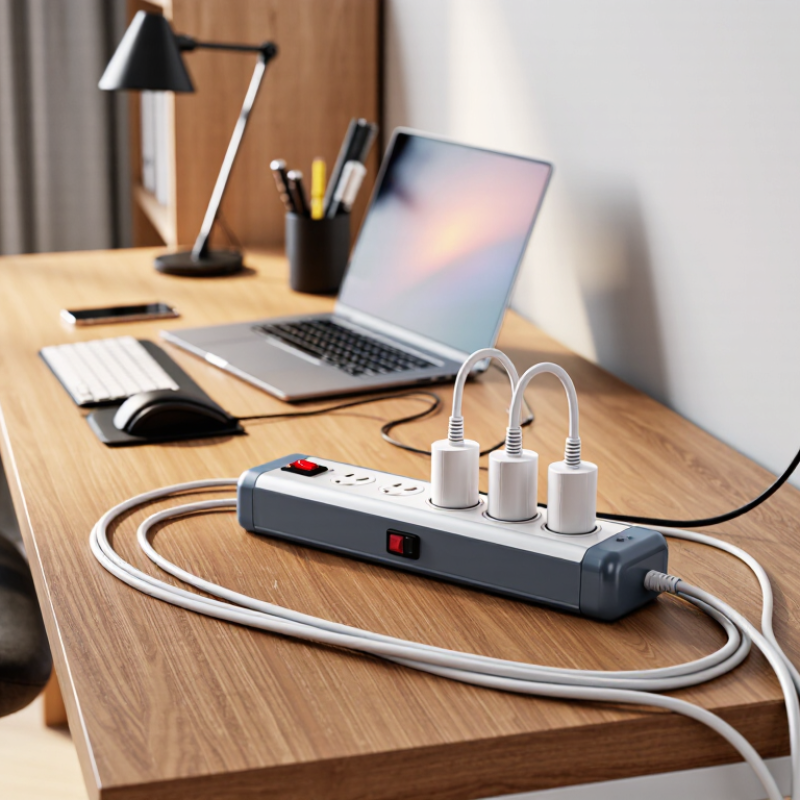
7 Tips for Choosing the Best Electric Extension Plugs

Understanding Electric Extension Plugs and Their Main Types

Electric extension plugs are not all alike. A grounded three-prong plug connects to a matching grounded outlet and provides a path for fault current. A polarized two-prong plug has one wider blade, helping align the appliance’s intended connection. Plug shapes also vary by region, so matching the outlet is not enough: check the cord’s voltage, current rating, and intended use. A plug’s shape does not prove its capacity.

Some designs have flat or angled plugs to fit behind furniture; others rotate to reduce strain on the cord. Surge-protected extension units add protective components, but they are not simply a different plug shape. Read the unit’s rating label. ESFI safety materials, citing U.S. Consumer Product Safety Commission estimates, report about 3,300 residential fires involving extension cords each year, with roughly 50 deaths and 270 injuries. That matters. A loose connection, damaged insulation, or overloaded cord can turn a convenient extra reach into a hazard. In practice, the thick cord may be awkward beside a desk, but choosing a lower-rated, slimmer one for appearance is a poor trade. I still find the label easy to overlook. Check it before plugging in.

Checking Voltage, Current, and Total Power Requirements

7 Tips for Choosing the Best Electric Extension Plugs
Checking Voltage, Current, and Total Power Requirements

Before choosing an extension plug, read the voltage and current ratings on its label. Your appliances and the plug must be suitable for the supply voltage where you live. Check the maximum current, measured in amps, too. A plug rated for less current than your equipment needs can overheat. The label is small. Use a flashlight if needed.

To estimate the combined load, add the wattage of every device you plan to connect. If a device lists amps instead, multiply amps by volts to estimate watts. For example, two devices rated at 800 watts each draw about 1,600 watts together. Compare that total with the extension plug’s maximum power rating, and stay below the lowest limit shown for the plug, cable, or socket. Ratings can be easy to misread, and assumptions are not a substitute for checking. Motors and heaters may draw more power at startup, so consult their instructions and avoid sharing an extension with other high-power equipment. If the numbers are unclear, choose a suitable plug with a higher verified rating or ask a qualified electrician.

7 Tips for Choosing the Best Electric Extension Plugs - Checking Voltage, Current, and Total Power Requirements

Tip What to Check Example or Calculation Practical Guidance
1. Match the plug to your local supply Confirm that the extension’s rated voltage is suitable for the outlet and the devices being connected. A product marked 250 V is not automatically suitable for every country or appliance; check the appliance label and local electrical system. Use compatible plugs and sockets, and never force a plug into an outlet. Voltage compatibility does not by itself confirm that a setup is safe.
2. Check the extension’s current rating Find the maximum current rating printed on the extension, plug, or product documentation. Illustrative ratings include 10 A at 230 V and 15 A at 120 V. These are examples, not universal ratings. The rating of the extension must be suitable for the outlet circuit and the connected equipment. Follow the product instructions and local electrical requirements.
3. Calculate the maximum apparent power For a simple single-phase estimate, multiply voltage by current: VA = V × A. At 120 V and 15 A: 120 × 15 = 1,800 VA. At 230 V and 10 A: 230 × 10 = 2,300 VA. This calculation is a rating check, not a guarantee of usable capacity. Account for the extension’s stated limits, the circuit rating, and device requirements.
4. Add the loads of all connected devices Use each device’s input rating and consider everything plugged into the extension at the same time. At 120 V, devices rated 900 W, 600 W, and 400 W total 1,900 W—more than the 1,800 VA rating example above. Do not exceed the lowest applicable rating among the extension, plug, outlet, circuit, and connected equipment. Avoid relying on a single socket’s appearance to judge capacity.
5. Pay special attention to high-power appliances Check the nameplate for appliances such as heaters, kettles, irons, and cooking equipment. A 1,500 W appliance draws about 12.5 A at 120 V, but about 6.5 A at 230 V (using current ≈ power ÷ voltage). Use high-power appliances only with an extension explicitly suitable for the load, if the appliance instructions permit an extension at all. Some appliances should be connected directly to a wall outlet.
6. Choose the right cord and environment Check the cord’s current rating, length, condition, and suitability for indoor, outdoor, or damp locations. A longer or undersized cord can contribute to voltage drop and heating. A household indoor extension is not automatically suitable outdoors. Use only cords marked for the intended environment. Keep cords undamaged and uncoiled when required by their instructions; do not cover them with rugs or furniture.
7. Look for protection and signs of damage Check for suitable grounding, required safety shutters or protection, secure sockets, and any specified overload protection. Cracked housings, loose sockets, exposed wires, scorching, or unusual warmth are reasons to stop using the extension. Replace damaged equipment rather than repairing it with tape. Keep connections dry, do not plug extensions into one another, and follow local electrical safety guidance.

Safety note: Voltage and current ratings vary by country and product. Always use the ratings printed on the equipment and follow the manufacturer’s instructions and local electrical codes. For uncertain or high-load installations, consult a qualified electrician.

Verifying Safety Certifications and Built-In Protection

When comparing electric extension plugs, inspect the safety label before judging appearance or price. Look for certification from a recognized testing organization in your region, and confirm that the mark applies to the exact model. A logo printed on packaging is not enough; check the plug itself and the manufacturer’s documentation. Also compare its voltage, current, and wattage ratings with the appliances you plan to connect. Requirements vary by location. That can be tedious.

Built-in protection matters just as much. An overload breaker can cut power when connected devices draw too much current, while a thermal cut-off can respond to excess heat. Surge protection is different: it helps limit brief voltage spikes, but it does not prevent every electrical fault. Check the product details to see which protections are actually included. Avoid assuming that a reset button means surge protection.

Look for a grounded plug and a clearly stated maximum load. If the plug feels loose in a socket, gets unusually warm, or has cracked insulation, stop using it. A small indicator light can show that protection is active, but it may not prove the device is working correctly. Labels can be confusing, and I would rather pause to verify the rating than rely on a reassuring-looking switch.

Comparing Cord Length, Outlet Count, and Plug Design

Measure the route before choosing a cord. A desk beside a wall outlet may need only a short reach, while a lamp across a room needs more slack. Leave slack. A cord pulled tight can strain its connections, but excess length can clutter a walkway. Measure along the actual path, including turns around furniture. I once underestimated a route behind a bookcase; the plug reached, but only when the cord bent awkwardly.

Outlet count should match the devices you use together, not every device you own. Count chargers, a monitor, and a desk lamp, then leave one space if the strip will sit in a reachable spot. More outlets can help, but closely spaced sockets may not fit bulky adapters side by side. Check the spacing and the product’s rated load; outlet count alone does not indicate how much power it can safely supply.

Plug design affects where the strip can sit. A flat or angled wall plug may fit behind a cabinet, while a grounded plug provides a grounding connection for compatible equipment. Look for a sturdy housing and clear rating information. Avoid forcing a plug into a crowded socket. My own preference has changed: a compact design looked neat, but wider spacing proved more useful in daily use.

Matching Features to Your Intended Use and Environment

An extension plug should suit the room and the equipment, not just fit the socket.

For a desk, check that its cable reaches without stretching across a walkway. For a workshop, choose a model with enough outlets and a rating that covers the tools running at the same time. Add their wattage and compare the total with the plug’s marked limit. Leave a margin; motors can draw extra power when starting. Check the device manuals if the numbers are unclear.

The setting matters just as much.

Use an outdoor-rated extension plug outside, and keep connections away from rain, puddles, and damp ground. Indoors, keep the unit clear of heaters and don’t hide it under rugs, where heat can build up unnoticed. That detail is easy to miss.

Match grounding to the equipment’s requirements, and avoid connecting one extension plug to another. Before use, look for cracked insulation, loose sockets, or scorch marks; unplug damaged equipment rather than trying to repair it. A longer cable may seem convenient, but it can be the wrong choice for a high-load appliance. If the rating or setup is uncertain, check the manual or ask a qualified electrician.

FAQS

What ratings should I check before using an extension plug?

Read its voltage and maximum current ratings. Match them to your local supply and connected appliances. Labels are tiny.

How can I estimate the total power load?

Add the wattage of every device. For example, two 800-watt appliances use about 1,600 watts together.

What if an appliance lists amps instead of watts?

Multiply its amps by volts to estimate watts. Then compare the total with the lowest rating on the plug, cable, or socket.

Should motors and heaters share an extension plug?

They may draw extra power when starting. Check their instructions, and avoid connecting them with other high-power devices.

How do I verify a safety certification?

Check that a recognized testing mark applies to the exact model. Confirm it on the plug or in its documentation, not just on the packaging.

What protections might an extension plug include?

An overload breaker interrupts excessive current, while a thermal cut-off responds to heat. Surge protection limits some voltage spikes, but not every fault.

Does a reset button mean the plug has surge protection?

No. Check the product details for the specific protections included. Pause and verify.

What warning signs mean I should stop using the plug?

Stop if it feels loose, gets unusually warm, or has cracked insulation. A light may indicate active protection, but it does not prove everything works.

What should I do if the ratings are unclear?

Don’t guess. Choose a suitable plug with a higher verified rating or ask a qualified electrician. I still find small labels easy to misread.

Conclusion

Choosing the right Electric Extension Plugs starts with understanding the available types and how each suits different devices and settings. Before making a choice, check the voltage and current ratings of your equipment, then calculate the combined power needs of everything you plan to connect. Selecting a plug that can safely handle the load helps avoid overloading and supports reliable everyday use.

Next, look for appropriate safety certifications and useful built-in protection, such as overload safeguards. Compare cord length, the number and spacing of outlets, and plug design to make sure the unit fits your space and devices. Finally, match its features to the intended environment and use: a home workspace, travel setup, or workshop may call for different levels of capacity, convenience, and durability. Considering these factors together can help you choose an extension plug that is practical, compatible, and suited to your needs.

Oliver

Oliver

Oliver is a seasoned marketing professional with a wealth of expertise in driving brand awareness and engagement. With a deep understanding of our company's product offerings, he consistently delivers high-quality content that enriches our professional blog. His insights not only shed light on......
Certificate enlarged view